










The Throne Bet app gives players mobile access to betting markets, a bet slip and account tools. It is intended mainly for Android devices and may be provided as an installable APK file rather than through an app store. This guide explains installation, updates, iPhone access and common technical issues.
The mobile site remains a useful alternative because it works without installation on Android and iPhone. Both options use the same account, while an installed app can be quicker to reopen for regular use.
Overview of the Throne Bet Mobile App
The app is designed for routine tasks on a smaller screen: checking odds, adding selections to a slip and following open bets. Market groups and event pages are arranged for touch controls, so it is easier to move between sports without relying on a desktop-sized layout.
Sign in with the same details used on the website. Before placing a bet, check the event, market, odds and stake on the confirmation screen; live prices can change between adding a selection and submitting it.
Key Features
Available tools should reflect the account and markets currently shown on the platform. Typical areas include pre-match and live betting, balances, open slips and betting history.
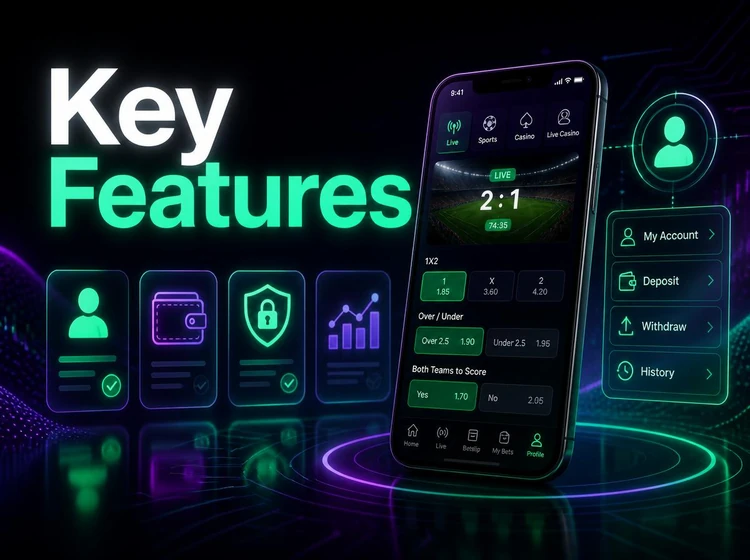
Use the fixtures page when you want to check upcoming events before opening a market. Review settled slips carefully, especially where a market has been voided or a cash-out option was used.
- Pre-match and in-play markets where available.
- Bet slips showing selections, stakes and potential returns.
- Open and settled bet history.
- Account balance and transaction records.
How to Download the Throne Bet App
Download the installer only from the operator's official mobile pages. Do not use files shared in chats, forums or file-hosting pages: an icon and file name cannot confirm that an APK is genuine.
Before you download, check that your browser has a stable connection and that the phone has free storage. A failed or unusually small download should be deleted and downloaded again rather than installed.
- Use a connection you trust, preferably private Wi-Fi or mobile data.
- Keep enough space for the installer, app files and cache.
- Check the browser download notification before opening the file.
Android APK Installation Guide
Android normally blocks apps installed outside an official store. The phone will ask for permission to allow your browser or file manager to install the downloaded file.
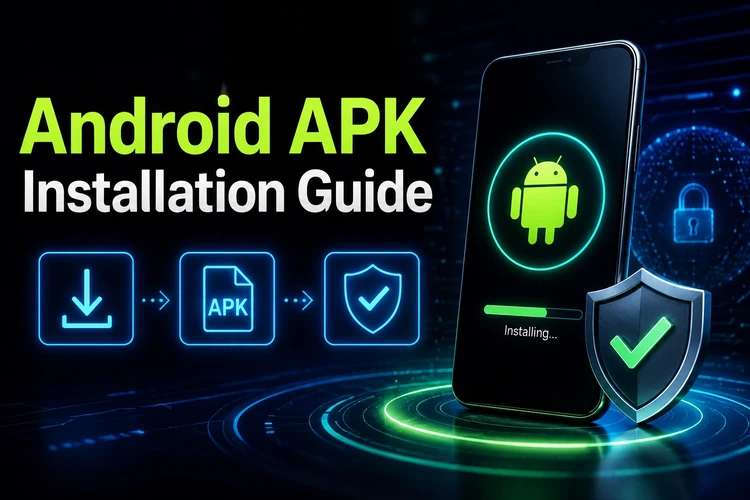
Grant this permission only for the source used to download the file, and switch it off again once installation is complete.
- Step 1: Open the official mobile page and start the download.
- Step 2: Wait until the file has downloaded completely.
- Step 3: Allow installs from that browser when Android prompts you.
- Step 4: Open the file and confirm installation.
- Step 5: Launch the app and sign in to your account.
If the installation fails, restart the phone and remove an older copy of the app before trying again. Delete the installer after confirming that the app opens correctly.
APK Versions and Updates
Updates can fix loading problems and maintain compatibility with platform changes. For a side-loaded app, download the current installer from the official source and install it over the existing version. Account data, balances and betting history are held on the server, not in the installer.
Avoid old builds from unofficial archives. If odds stop loading or the app repeatedly closes, updating is safer than repeatedly reinstalling the same outdated file.
Compatibility on iOS
On iPhone, the mobile website is the dependable option when no regional App Store listing is available. Open it in Safari and use the Share menu to add it to the Home Screen for faster access.
Do not install configuration profiles or unknown files that claim to provide an iOS version. You can use the account login page in Safari with the same credentials used on Android.
System Requirements
There is no need for a high-end phone, but a stable connection is particularly important when odds are changing during live events.
| Parameter | Requirement |
|---|---|
| OS | Android for APK installation; iOS through the mobile site |
| Internet | Stable mobile data or Wi-Fi |
| Storage | Space for the installer, app and cache |
| Updates | Manual installation of the current file |
| Permissions | Temporary install permission for the download source |
Troubleshooting
Most technical problems come from an incomplete file, a missing installation permission or an outdated version. Start with those checks before changing phone settings more broadly.
If the issue continues, note the exact error message, device model and when it occurs, then contact the team through the support page.
- Installation will not start: download the file again and check the browser permission.
- App will not open: restart the phone, clear the app cache and update the app.
- Download stalls: switch networks and clear browser storage.
- Login fails: check the entered details and use password recovery if needed.
App vs Mobile Website
The app suits frequent Android use, while the mobile website requires no installation and works across Android and iOS. The choice does not change the account, available funds or the need to verify every bet before confirmation.
| Criterion | App | Mobile site |
|---|---|---|
| Access | Opened from the device | Opened in a browser |
| Installation | APK installation required | No installation |
| Updates | Installed manually | Applied on the website |
| Device support | Android | Android and iOS |
Security Recommendations
Use only the official source for the installer and keep the phone protected with a screen lock and a unique password. Requests for contacts, SMS or accessibility permissions during installation are warning signs and should be declined.
Review account activity regularly, sign out on shared devices and set personal time and spending limits before betting. Betting is for players aged 18+ only.
FAQ
Open the operator's official mobile page in your phone browser and use its download link. Avoid APK files sent through chats or posted on file-sharing sites.
The installer itself should not require payment. A page that charges for the file or demands a survey before downloading should be treated with caution.
iOS store availability can vary by region. If no listing is available, use the mobile website in Safari and add it to the Home Screen.
Download the current installer from the official source and install it over the existing app. Side-loaded apps may not update automatically.
Re-download the file, then confirm that Android allows installations from the browser used for the download. Removing an older copy of the app can also help.
The platform is intended for players in Tanzania. You need a registered account and must be 18+ to place bets; local betting and payment rules still apply.